
This lag between "something's wrong" and "someone knows" is expensive. Reactive-maintenance-heavy manufacturers see 3.3 times more downtime than plants that catch problems early, according to NIST's manufacturing maintenance research. Operational readiness client workspaces close that gap. They turn scattered plant data into one live picture supervisors and managers can act on immediately.
This article covers what these client workspaces do, the metrics they should track, the types plants use, and how to implement one without drowning your team in data.
Key Takeaways
- Real-time client workspaces unify equipment, labor, and throughput data into one live source of truth
- Track core metrics across machine status, staffing, throughput, and resource consumption
- Role-based views (executive, supervisor, maintenance) outperform a single overloaded screen
- Start small: track the few metrics that drive daily decisions, then expand
What Is an Operational Readiness Client workspace?
An operational readiness client workspace is a live, centralized visual interface. It shows whether your people, equipment, and processes are performing at expected levels right now, not last week.
That's the key difference from a readiness checklist. A checklist is a one-time gate you clear before a shift or launch. A client workspace never stops watching.
NIST defines monitoring as continual checking to identify a change from expected performance. That's the core function here: continuously comparing live plant conditions against what should be happening, and surfacing the gap the moment it appears.
Why It Matters for Team Performance
Most laundry plants already collect this data. The problem is where it lives:
- Machine uptime sits in the control system
- Labor hours sit in a timekeeping spreadsheet
- Throughput sits in an end-of-shift report
Nobody sees all three together until the next morning's meeting, by which point the shift is already over. Client workspaces pull these into a single screen, cutting the reaction time between a problem starting and someone addressing it.
The scale of the opportunity is real. McKinsey's Industry 4.0 research found that manufacturers with real-time visibility tools saw 30-50% reductions in machine downtime and 10-30% increases in throughput. That's a broad industrial benchmark, not a laundry-specific guarantee, but it shows what's possible when data stops sitting in silos.

Key Metrics and Components Real-Time Client workspaces Should Track
Not every data point deserves screen space. Here's what actually drives daily decisions on a laundry floor.
Machine and Equipment Status
This is the foundation. Every readiness client workspace needs:
- Uptime/downtime tracking by machine or line
- Fault alerts flagged the moment they occur
- Cycle status - running, idle, or down
Manufacturers relying mostly on reactive maintenance see 3.3 times more downtime than those catching issues proactively, per NIST. Live equipment status is what prevents that gap.
Labor and Staffing Metrics
Attendance, task completion, and shift coverage gaps belong on the client workspace too. Pounds Per Operator Hour (PPOH) is the standard labor benchmark in this industry - one ISSA model-laundry case saw PPOH climb from 42 to 57 alongside process improvements, according to ISSA's benchmarking data.
Throughput and Production Metrics
Units or pounds processed per hour, measured against target. This is where you spot a line slipping behind schedule before it becomes a missed shipment.
Resource and Chemical Consumption
For process-heavy operations, tracking chemical usage against dosing targets matters as much as machine status. Flow-meter-based injection systems can flag delivery failures in real time rather than after a rewash spike.
Automated Alerts and Historical Trends
- Real-time alerts (email, SMS) flag deviations before they escalate
- Historical trend views sit alongside live snapshots to catch recurring readiness gaps, not just one-off events
A single bad shift is a blip. The same problem repeating every Tuesday is a pattern worth fixing, and it's exactly the kind of trend that platforms like Softrol's LOIS surface automatically through remote access to plant performance data.

Types of Operational Readiness Client workspaces
Not every user needs the same view. A manufacturing client workspace framework from [Tulip's guide to manufacturing client workspaces](https://tulip.co/blog/6-manufacturing-client workspaces-for-visualizing-production/) recommends 3 to 6 role-specific client workspaces rather than one screen trying to serve everyone.
| Client workspace Type | Primary User | Focus |
|---|---|---|
| Executive/plant-level | Plant managers | High-level KPIs, overall readiness |
| Supervisor/team-level | Shift supervisors | Line status, immediate bottlenecks |
| Equipment/maintenance | Maintenance staff | Machine health, sensor data, predictive flags |
| Remote/mobile | Multi-site or traveling managers | Off-site access to performance data |
| Integrated total-plant | Everyone | Sort, wash, finish, and material handling in one view |
That last category reflects what Softrol calls Total Plant Management: a single entry point pulling data from every production stage instead of treating sort, wash, and finish as separate silos. Rather than checking three systems to understand plant status, managers see production information, machine utilization, and bottlenecks in one environment.

What an Operational Readiness Client workspace Looks Like in Practice
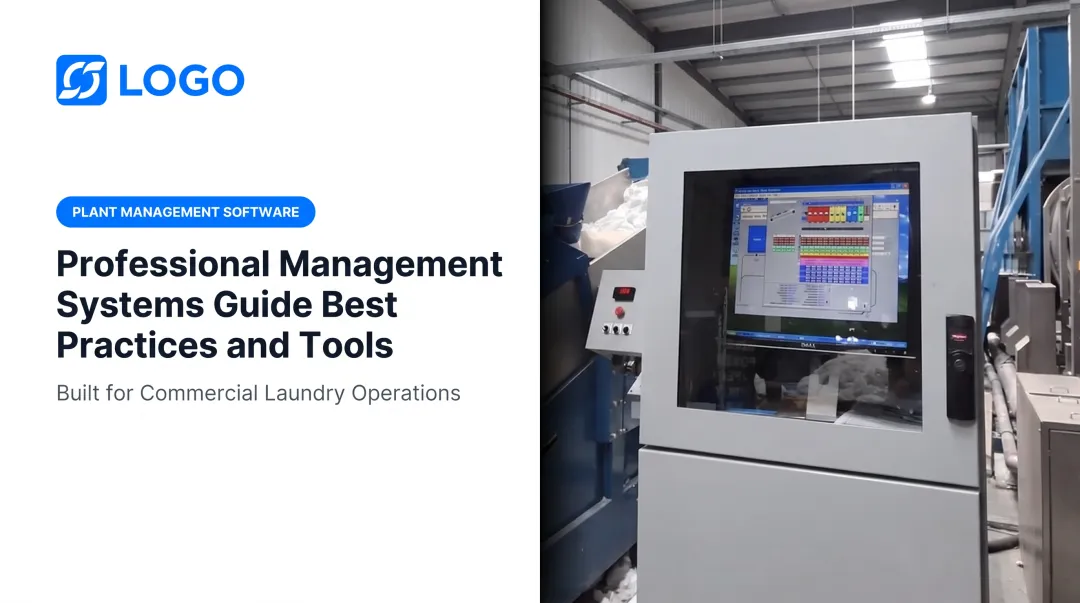
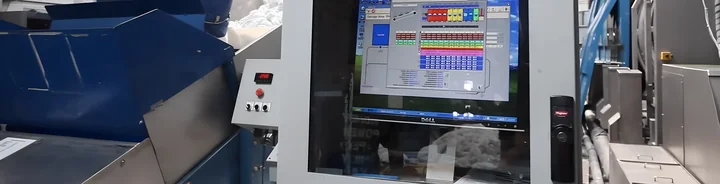
Picture a wash aisle screen showing chemical dosing status next to machine cycle information. If dosing drifts off target or a chemical delivery fails, the alarm surfaces immediately, not after the load comes out wrong.
Softrol's LOIS (Laundry Operation Information System) is built around this kind of live visibility. It monitors important plant functions and employee performance around the clock, and it's accessible through any browser on a PC, tablet, or smartphone. That means a plant manager can check readiness status from home, from another facility, or from the road - not just from a desk on the floor.
A real client workspace example from the system shows metrics like:
- 19-minute average turn time
- 28-minute actual formula time versus 38-minute expected
- 24,879 pounds processed
- Four non-credited loads flagged for review
That last item is exactly the kind of exception a static end-of-day report would bury. On a live client workspace, it's visible the moment it happens.

Supervisors get a more granular version through the PulseNet Productivity System's Message Center, which shows real-time performance for individual employees and equipment.
At Faultless Linen, supervisors used this to monitor over 30 employees in real time, contributing to a PPOH increase from 90 to 140 in four months.
Benefits of Real-Time Team Performance Client workspaces
Three benefits stand out for plants running on tight margins:
Reduced labor costs. When supervisors see staffing gaps and task-completion rates live, they can reallocate people mid-shift instead of discovering the problem in tomorrow's report. Softrol's Total Plant Management software surfaces this data from a single entry point, helping supervisors manage labor without adding equipment.
Improved accountability. Teams behave differently when benchmarks are visible in real time instead of buried in the next morning's report. Teams see how they're doing while there's still time to adjust.
Faster issue resolution. Real-time alerts shorten the gap between a fault occurring and someone responding. LOIS delivers these alerts by email, so managers don't need to be staring at a screen to catch a problem.

Best Practices for Implementing an Operational Readiness Client workspace
Start with a handful of metrics. Don't try to display everything on day one. Pick the 4-5 numbers that drive daily decisions, then expand once the team trusts the data.
Integrate with existing plant control software. A client workspace that lives outside your control systems becomes another report nobody checks. LOIS and Total Plant Management work because they pull directly from production points already running in the plant.
Work with a partner who knows your industry. Generic manufacturing client workspaces miss the nuances of wash aisle chemistry, sort throughput, and PPOH calculations specific to textile services. Softrol has spent over 34 years building automation for industrial laundries, shaping client workspaces around plant-specific workflows instead of generic KPIs.
Frequently Asked Questions
What is an example of an operational readiness client workspace?
A plant-level client workspace tracking machine uptime, labor coverage, and throughput on one screen is a common example. Systems like LOIS display live metrics such as turn time, formula time versus target, and pounds processed.
What are the types of operational readiness client workspaces?
The main types are executive/plant-level, supervisor/team-level, equipment/maintenance, remote/mobile, and integrated total-plant client workspaces. Most facilities need at least two or three of these working together.
How is an operational readiness client workspace different from a readiness checklist?
A checklist is a one-time gate you complete before a shift or launch. A client workspace continuously monitors live conditions and flags changes as they happen, not just at a single checkpoint.
What data should feed into a real-time team performance client workspace?
Equipment status (uptime, faults), labor and attendance data, throughput against targets, and resource or chemical consumption. These four categories cover most daily decision-making needs.
How often should client workspace metrics be updated for true real-time visibility?
True real-time client workspaces refresh continuously or near-instantly, not on a daily or weekly cycle. If your "real-time" view only updates once a shift, it's closer to a report than a client workspace.
Can small or mid-sized operations benefit from operational readiness client workspaces?
Yes. Scalable solutions let smaller plants gain the same visibility as larger operations without unnecessary complexity. The key is starting with a few core metrics rather than a full enterprise build-out.